
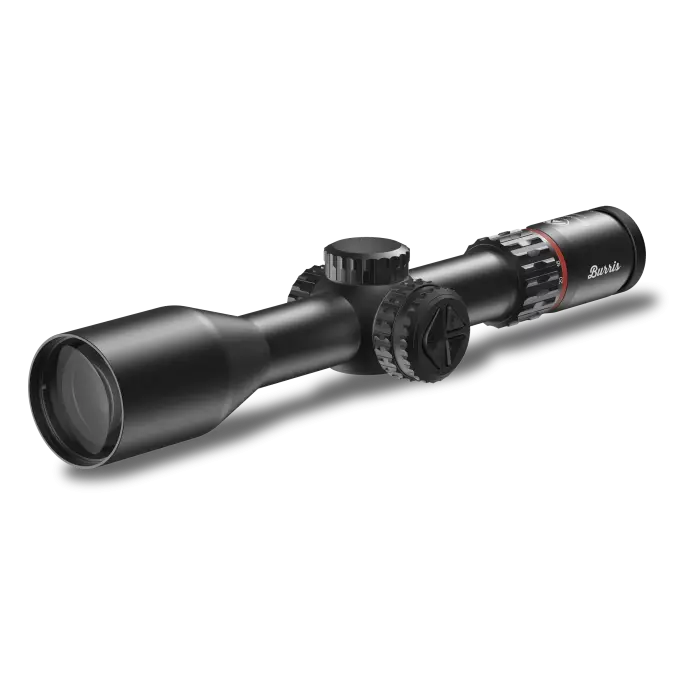
In this video, Jordan from Burris Optics walks through the most common Heads-Up Display (HUD) messages users may encounter when operating the Eliminator 6. Understanding these indicators can help diagnose in-field issues and ensure optimal system performance.
1. Range Error
This message indicates that the Eliminator 6 could not obtain a valid distance reading from the target. Common causes include:
- Environmental Conditions — Fog, dust, snow, heavy mirage, or airborne debris can disrupt the laser beam.
- Shooter Stability — Handshake or movement during ranging prevents the scope from receiving a clean return signal.
- Target Reflectivity — Low-reflective surfaces such as dark fabric, soft vegetation, or shaded animals may not reflect sufficient energy for accurate ranging.
-
Ballistic Table Discrepancy
When the scope displays a single dot in the center of the reticle, the Auto Density Altitude (DA) feature is likely attempting to calculate outside of the supported range. In cold weather at low elevations, this can result in a calculated DA below 0, which causes the ranging error.
The Eliminator 6 currently supports ballistic tables from 0 DA to 15,000 DA. Values below this range are not recognized.
Recommended Action:
To restore normal operation, manually set the elevation:- Press and hold the + and − buttons on the side of the scope
- This will open the manual elevation menu
- Set the elevation to 0
This bypasses the Auto DA input and prevents the error in low elevation, cold weather conditions.
2. Too Far
This message appears when the Eliminator 6 successfully ranges your target, but the distance exceeds the scope’s effective ballistic calculation range for the loaded profile. The shot is beyond what the reticle can display for a proper aiming solution.
Solution: Close the distance until the target is within the usable range of your specific ballistic profile.
3. Zoom Out
The Eliminator 6 has ranged the target and confirmed that your bullet can reach it, but the current magnification setting is too high to display the calculated holdover. The aiming point lies outside your visible field of view at the current zoom level.
Solution: Decrease magnification until the aiming point appears within the reticle display.
For more information on the Eliminator 6—such as uploading ballistic data, sighting in, or configuring your HUD—watch the rest of the video series or visit burrisoptics.com.
Train far. Hunt responsibly. And don’t miss with the Eliminator 6.
Comments
0 comments
Please sign in to leave a comment.